In keeping with my previous posts about my Webstorm templates, this is my template for creating a new Angular Service.
This file contains hidden or bidirectional Unicode text that may be interpreted or compiled differently than what appears below. To review, open the file in an editor that reveals hidden Unicode characters. Learn more about bidirectional Unicode characters
If you’ve seen any of my Angular code, you will notice that I use a LOT of element directives (Angular 2 calls these “components”!). You’ll also notice that I like writing a lot of unit tests.
After my previous post on WebStorm templates, I came to the realization that I was writing a lot of boiler plate code for testing these directives. Instead of rewriting these tests every time, I’ve created a template to use for unit testing directives.
(One thing to note, this requires at least angular mocks 1.3.15 for the bindings options in the $controller constructor)
This file contains hidden or bidirectional Unicode text that may be interpreted or compiled differently than what appears below. To review, open the file in an editor that reveals hidden Unicode characters. Learn more about bidirectional Unicode characters
If you’re like me, you find yourself rewriting a lot of boilerplate code with Angular. Especially when creating new files. I just started using templates in WebStorm and it is quite the time saver!
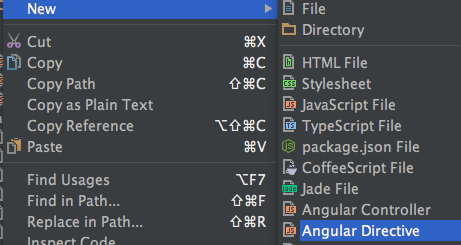
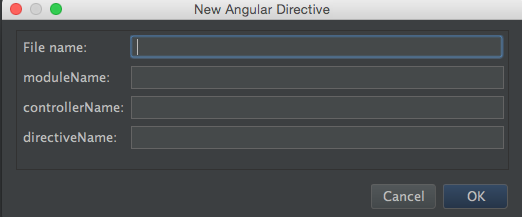
Here’s my first one I use for creating a new directive. This utilizes the bindToController feature of directives for Angular 1.3+.
This file contains hidden or bidirectional Unicode text that may be interpreted or compiled differently than what appears below. To review, open the file in an editor that reveals hidden Unicode characters. Learn more about bidirectional Unicode characters
 Adam Weeks